Blog post produced and written by Head of Physiotherapy Dept. & Lead Sports Therapist Gerard Minihane. With a Masters Degree in Sports Therapy and currently working with the QPR Football Club Medical Team, Gerard offers his tips and advice for working from home.
Are you working from home?
Features of an office such as people, building space, equipment, furniture and the environment must fit together well for workers to feel healthy and comfortable and be able to work efficiently and productively. At least 50% of the world’s population currently works in some form of office space. And as you well know by now, in the current pandemic, that figure has more than likely only increased. In saying that, the environment has also changed and a lot of people are now working from home and this comes with its own challenges.
Office employees often spend more than 40 hours per week at their computer workstation and therefore the office environment plays a huge role in their daily life. Workstation designs significantly affect working posture, which in turn, contributes to physical symptoms. Sustained prolonged static posture, awkward posture, chair design, placement of keyboard and mouse and non-availability of footrest were stated as the most common causes for the musculoskeletal issues!
My quick tips to improve these issues:
- 20:20:20 rule — taking a 20-second break every 20 minutes in order to focus on an object at least 20 meters away.
- In short, take regular breaks to stretch, drink water etc.
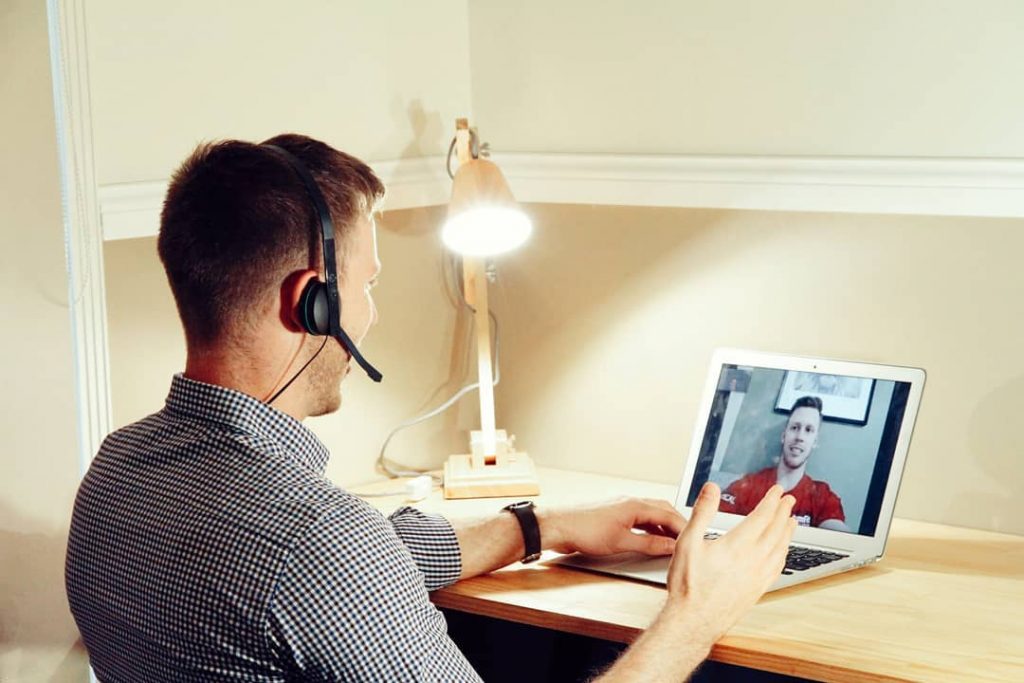
- Standard ergonomics guidelines for office design (see picture and below instructions)
- Layout of keyboard and mouse.
- Regularly changing mouse hand every month is also beneficial.
- Adjustable chairs and tables are a huge must.
- Along with this practicing and maintaining good posture is essential.
- A well-lit environment will also improve the mood and productivity of an employee.
- A spacious work station is also said to improve productivity.
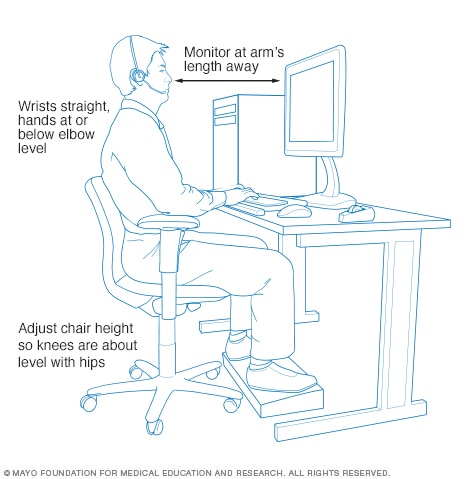
Chair
Choose a chair that supports your spinal curves. Adjust the height of your chair so that your feet rest flat on the floor or on a footrest and your thighs are parallel to the floor. Adjust armrests so your arms gently rest on them with your shoulders relaxed.
Key objects
Keep key objects — such as your telephone, stapler or printed materials — close to your body to minimize reaching. Stand up to reach anything that can’t be comfortably reached while sitting.
Keyboard and mouse
Place your mouse within easy reach and on the same surface as your keyboard. While typing or using your mouse, keep your wrists straight, your upper arms close to your body, and your hands at or slightly below the level of your elbows. Use keyboard shortcuts to reduce extended mouse use. If possible, adjust the sensitivity of the mouse so you can use a light touch to operate it. Alternate the hand you use to operate the mouse by moving the mouse to the other side of your keyboard.
Telephone
If you frequently talk on the phone and type or write at the same time, place your phone on speaker or use a headset rather than cradling the phone between your head and neck.
Footrest
If your chair is too high for you to rest your feet flat on the floor — or the height of your desk requires you to raise the height of your chair — use a footrest. If a footrest is not available, try using a small stool or a stack of sturdy books instead.
Desk
Under the desk, make sure there’s clearance for your knees, thighs and feet. If the desk is too low and can’t be adjusted, place sturdy boards or blocks under the desk legs. If the desk is too high and can’t be adjusted, raise your chair. Use a footrest to support your feet as needed. If your desk has a hard edge, pad the edge or use a wrist rest. Don’t store items under your desk.
Monitor
Place the monitor directly in front of you, about an arm’s length away. The top of the screen should be at or slightly below eye level. The monitor should be directly behind your keyboard. If you wear bifocals, lower the monitor an additional 1 to 2 inches for more comfortable viewing. Place your monitor so that the brightest light source is to the side.
How can we help?
Well, in terms of desk set up, you’re good to go with the advice here! There may be some tweaks to be made which we can help out with if needed but we see our main help being in the prescription of strength building exercises to help your body cope better with the new demands it finds itself under and also with our soft tissue therapy to help relieve the tension and stiffness in the muscles that are struggling to adapt to tis new environment they find themselves in.
If you would like any further advice or help then why not book in to see one of our Team members and we can help you on your journey to being pain free once again.
Call us – 020 8368 9220