
Blog post produced and written by Advanced Specialist MSK Physiotherapist Jason Dodd.
Ever finish a workday with a stiff neck or achy shoulders? You’re not alone. Neck pain is one of the most common complaints among office workers. The surprising culprit often isn’t just stress or long hours – it’s your desk setup.
A poorly arranged workstation can quietly wreak havoc on your posture, leading to strain in your neck and shoulders. The good news is that a few simple tweaks to your workspace can make a world of difference. In this post, we’ll explore how common desk setup mistakes contribute to neck pain and what you can do to fix them. We’ll also share how our company’s ergonomic specialists can help make your workstation more comfortable. Let’s turn that “pain in the neck” into a thing of the past!
Why Your Desk Setup Matters for Your Neck
On the other hand, a bad desk setup encourages poor posture. Imagine craning your neck forward to see a screen that’s too low, or hunching your shoulders because your keyboard is too far away. Over time, these awkward positions put extra load on your neck muscles and spine. For instance, if your head juts forward even a couple of inches, your neck has to support double or triple the weight it normally would. (Your head is heavy – about as much as a bowling ball!) No wonder hours of slouching or peering down at a screen can leave your neck feeling sore and tight.
The bottom line: how you arrange your workstation – from monitor height to chair position – plays a huge role in your comfort. Let’s look at some specific desk setup mistakes that often lead to neck and shoulder pain.
Common Ergonomic Mistakes That Strain Your Neck
- Monitor at the Wrong Height: If your monitor is too low, you’ll instinctively tilt your head downward to see it. This leads to a forward head posture (sometimes nicknamed “tech neck”) where your head cranes out in front of your shoulders. That forward tilt strains the muscles in the back of your neck and shoulders. Conversely, if a monitor is way too high, it can force your neck into an awkward upward bend. Both scenarios can result in neck pain. Tip: The top of your screen should be at about eye level (or slightly lower). This way you can keep your head level and gaze slightly downward with your neck in a neutral position.
- Poor Chair Positioning and Support: An unsupportive chair or the wrong chair height can cause you to slouch or tense up. If your chair is too low compared to your desk, you might hunch your shoulders and crane your neck upward to see your screen. If it’s too high, you may find yourself dangling your feet or scooting forward, which ruins your back support and pushes your head forward. No lumbar support or not sitting back in your chair encourages a rounded, head-forward posture as well. Tip: Adjust your chair so your feet rest flat on the floor (or on a footrest) and your thighs are parallel to the ground. Your back should be against the chair’s backrest, which supports your lower back’s natural curve. This helps keep your spine and neck aligned. Also ensure your chair’s backrest allows you to sit upright comfortably, and use the armrests if you have them – they can take weight off your shoulders. Relaxed shoulders mean less strain on your neck.
- Keyboard and Mouse Placement: Take a look at where your keyboard and mouse are. Are you reaching forward or far to the side to use them? If so, you’re likely extending your arms and leaning, which causes your shoulders and neck to do extra work. Or maybe your keyboard is on a high desk, forcing your arms up and shoulders shrugged. Improper keyboard placement (too far, too high, or not centered) often results in hunched shoulders and a tight neck. Tip: Position your keyboard and mouse close to your body and at a height where your elbows can stay bent about 90° and close to your sides. Your forearms should be roughly parallel to the floor, and your shoulders should feel relaxed, not scrunched up. This may mean adjusting your chair height or using a keyboard tray so that the keyboard is at elbow level. Keeping the mouse next to the keyboard (not way off to the side) also prevents awkward reaching. And as a bonus, when your arms are properly supported, it eases the load on your neck and upper back muscles.
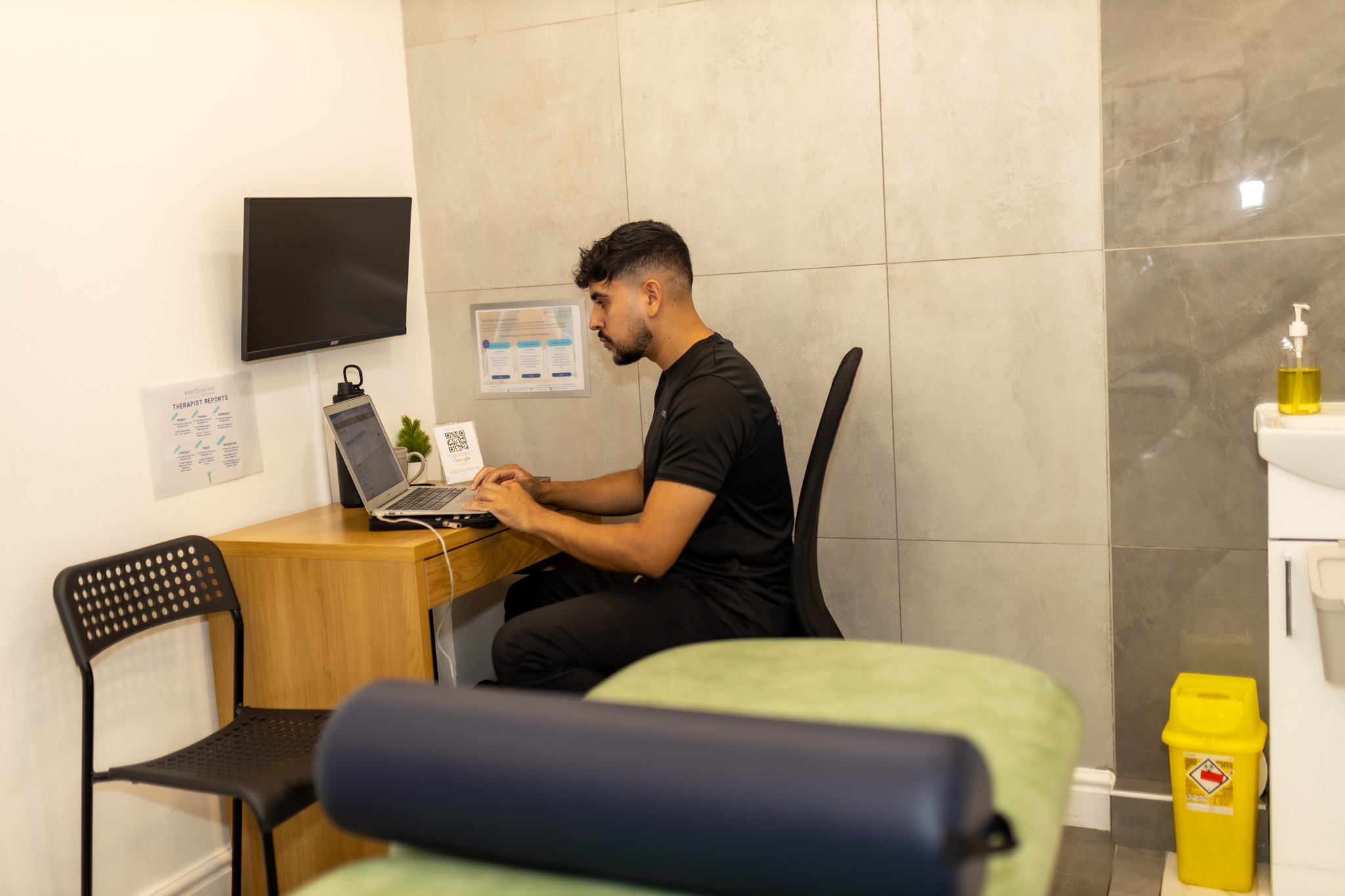
- Laptop Use Without Ergonomic Aids: Many of us love the flexibility of laptops, but using a laptop by itself on a desk is an ergonomic double-whammy. The screen is attached to the keyboard, so it’s impossible to get both ideal screen height and keyboard position at the same time. Typically, people end up with the laptop down low on the desk, which means looking down at the screen (neck craned forward) for hours. Your elbows might also be spread wide and wrists bent awkwardly because of the laptop’s small keyboard and trackpad. All of this contributes to neck, shoulder, and even wrist strain. Tip: Treat your laptop like a desktop when you’re at your desk. Use an external keyboard and mouse, and raise the laptop (or get a separate monitor) so the screen is at eye level. This setup lets your neck stay neutral while your arms rest at a comfortable 90° angle on the keyboard. It’s a simple fix that can dramatically improve your posture if you work on a laptop regularly.
- Looking Down at Phones or Documents: Ever cradle your phone between your ear and shoulder while typing? That twist can give you a crick in your neck in no time. Likewise, frequently looking down at paperwork on your desk can strain your neck if your monitor is straight ahead but documents are flat on the desk. Tip: Use a headset or speakerphone if you’re on calls often – avoid pinning the phone to your ear with your shoulder. For reading documents, consider a document holder that sits next to your screen so you’re not constantly bending your neck downward.
These are just a few of the common issues that can make your workstation literally a pain in the neck. The key theme is alignment: you want your head, shoulders, and arms to be in neutral, natural positions as much as possible while working.
Actionable Tips for a Neck-Friendly Workstation
Align Your Monitor at Eye Level: Adjust your monitor height so the top of the screen is at roughly eye level when you sit up straight. You shouldn’t have to look significantly up or down to see. If you find yourself tilting your chin down to view the screen, prop up the monitor using a stand, reams of paper, or a sturdy box until it’s at eye level. For dual monitors, place the primary one centered in front of you, or if you use both equally, position them close together and straight ahead so you only need a slight head turn to switch views. This keeps your neck from being constantly bent or twisted.
Sit Back in Your Chair (and Adjust It): Your chair is your foundation. Sit fully back in it so the backrest supports your spine. Adjust the seat height so that your feet are flat on the floor (or on a footrest) and your knees are about level with your hips. Most importantly for your neck, keep your upper back and shoulders against the chair rather than perching on the edge of the seat. This upright but supported posture keeps your head naturally over your shoulders. Make sure your chair’s backrest isn’t reclined too far – a slight recline (10-15 degrees) is fine, but you shouldn’t be slumping. Use the chair’s lumbar support (or add a small cushion) to maintain the gentle curve in your lower back; this helps stack your spine properly, which in turn positions your neck correctly. A well-adjusted chair allows you to relax your shoulders and neck while working.
Keep Keyboard and Mouse Close, at Elbow Height: Place your keyboard and mouse on the same surface, as close as is comfortable to your body. When you’re typing or using the mouse, your elbows should stay near your sides, bent about 90 degrees. Adjust your chair or desk setup so that the keyboard is at the same height as your elbows. This might mean raising your chair a bit and using a footrest if needed. You shouldn’t have to reach forward or shrug your shoulders to type – your upper arms should hang naturally. Also, keep your wrists straight (in line with your forearms) when typing; this often happens naturally when the keyboard is at the right height. By maintaining that 90° elbow angle and relaxed arm position, you reduce tension all the way up to your neck. If you notice your shoulders creeping up toward your ears while you work, that’s a sign your setup might be too high – relax them and adjust your equipment accordingly.
Use an External Keyboard/Mouse (Especially with Laptops): As mentioned earlier, if you work on a laptop, invest in a separate keyboard and mouse. This lets you elevate your laptop screen to a proper viewing height (or plug into a larger monitor) without compromising your arm posture. Even with a desktop, some people use laptop stands or monitor risers and external peripherals to get everything positioned just right. The goal is to allow your screen and your hands to be at the optimal heights for your neck and arms simultaneously. It’s a simple fix: external keyboards are inexpensive, and they allow you to create a setup where your neck isn’t stuck looking down and your shoulders can remain at ease.
Check Your Posture Regularly: Even with a perfect setup, it’s easy to slip into bad habits as the day progresses. Make it a habit to scan your posture every now and then. Is your head poking forward toward the screen? Are your shoulders creeping up or rounding forward? If yes, take a moment to roll your shoulders back and gently re-align your head over your shoulders (ears over shoulders is a good cue). Imagine a string pulling you up from the top of your head – this can help you sit a bit taller. Sometimes even moving your chair an inch closer to your desk can prevent you from leaning forward. Small reminders to adjust yourself can prevent sustained awkward positions that lead to pain.
Take Movement Breaks: Our focus here is on ergonomics, but it would be remiss not to mention the importance of breaks. The human body isn’t meant to hold one position for endless hours. No matter how well your workstation is set up, regularly moving and stretching is vital. Every 30 minutes or so, try to change your position – even if it just means standing up for a minute, rolling your neck gently, or doing a few shoulder shrugs at your desk. Better yet, take a short walk or do some quick stretches for your neck, chest, and shoulders. These breaks relieve muscle tension and reset your posture, so you’re less likely to accumulate strain in your neck. Plus, a brief break can refresh your mind and help your productivity too!
By implementing these tips, you can transform your workspace into a more neck-friendly zone. Often, people are amazed at how much better they feel after making these minor adjustments. A higher monitor here, a supportive chair tweak there, and you might notice that by evening, you’re not instinctively massaging your neck or reaching for pain relievers.
Our Proactive Approach: Ergonomic Desk Assessments at Your Office
What happens during an ergonomic assessment? An ergonomics specialist will visit your office and observe how you work at your station. Don’t worry – they’re friendly and there to help, not to judge your posture! They will check things like your monitor height, chair adjustments, keyboard and mouse position, and even lighting and screen glare. They might ask you to show your typical sitting posture and work habits. With these observations, the specialist can pinpoint specific issues that might be causing you discomfort (perhaps that slight twist to see your second monitor, or a chair height that’s a tad low). Then, they’ll adjust your setup on the spot if possible – raising a monitor, suggesting you try a footrest, repositioning your keyboard – and give you custom tips to maintain good posture given your tasks. Each person and job is a little different, so this one-on-one approach ensures you get the most benefit.
Why is this service helpful? It’s a supportive, preventive measure – not something only used after someone has significant pain. By catching and correcting ergonomic problems early, we can help reduce the risk of musculoskeletal issues like chronic neck pain, back pain, or wrist strain before they become serious. It’s much better to prevent an injury or ache than to treat it later. Employees often feel immediate relief with even small changes, and they appreciate that their company cares about their comfort. Over time, these ergonomic improvements lead to healthier, happier team members. You’ll likely see boosted comfort and morale, and that often translates into better focus and productivity. (It’s hard to do your best work when you’re distracted by a throbbing neck or headache!)
From a business perspective, investing in ergonomics is a smart move. Fewer aches and pains mean fewer sick days and doctor visits, and more engagement at work. It’s a win-win: employees feel taken care of, and the company benefits from a more productive workforce. Our specialists also educate staff during these visits – answering questions and coaching them on good work habits (like those stretch breaks or how to adjust things properly). This creates a lasting impact where employees maintain their improved setups and encourage each other in healthy habits.
A supportive solution, not a one-time fix: We frame our ergonomic office visits as a proactive and supportive solution. This isn’t about scolding anyone for slouching; it’s about giving you the tools and knowledge to work comfortably. It shows that the company is on your side when it comes to well-being at work. After all, you shouldn’t have to end your workday in pain. By bringing in ergonomic experts to fine-tune workstations, our company helps ensure that each employee can work in a safe and comfortable environment tailored to them. It’s like having a personal coach for your desk setup. We often schedule follow-ups or provide resources so that ergonomic health remains an ongoing focus, not just a one-off event.
We’ve Got Your Back (and Neck!)
If you’re an employee, don’t hesitate to implement the tips we discussed. Your body will thank you. And if you’re an employer or manager reading this, consider the benefits of promoting a healthy workspace. Simple interventions or professional ergonomic assessments can dramatically improve your team’s comfort and productivity.
At our company, we’re passionate about creating pain-free and productive work environments. We’re here to help you say goodbye to that nagging neck pain. A well-arranged desk, good posture habits, and maybe a little expert guidance are all it takes. Here’s to a more comfortable workday and a healthier you – neck, shoulders, and all!
Your neck should support your brain, not be a burden on your workday. With the right setup and support, you can keep your focus on your job and not on that pesky pain in your neck. So adjust that chair, lift that monitor, sit back, and relax – you’ve got this, and we’ve got your back every step of the way!